Style + Rewrite
Get classic Old English-style text plus two rewrite options when you want the wording itself to sound older.
Old English Style + Archaic Rewrite
Copy and paste the version you like, or try a Victorian or Shakespearean rewrite when you want older-sounding wording.
Get classic Old English-style text plus two rewrite options when you want the wording itself to sound older.
Copy one result at a time or grab the full set when you want to compare styles somewhere else.
You do not need to download anything. Just type, copy, and move on.
Style vs. translation
This changes the look of your text with blackletter and Gothic-style lettering, but keeps the words themselves the same.
A real Old English translator would turn modern English into Anglo-Saxon, which is a different language. That is not what this page does.
Tested on the live tool
The capture compares the same source phrase across Old English, Bold Old English, Gothic, and Vintage Serif output cards.
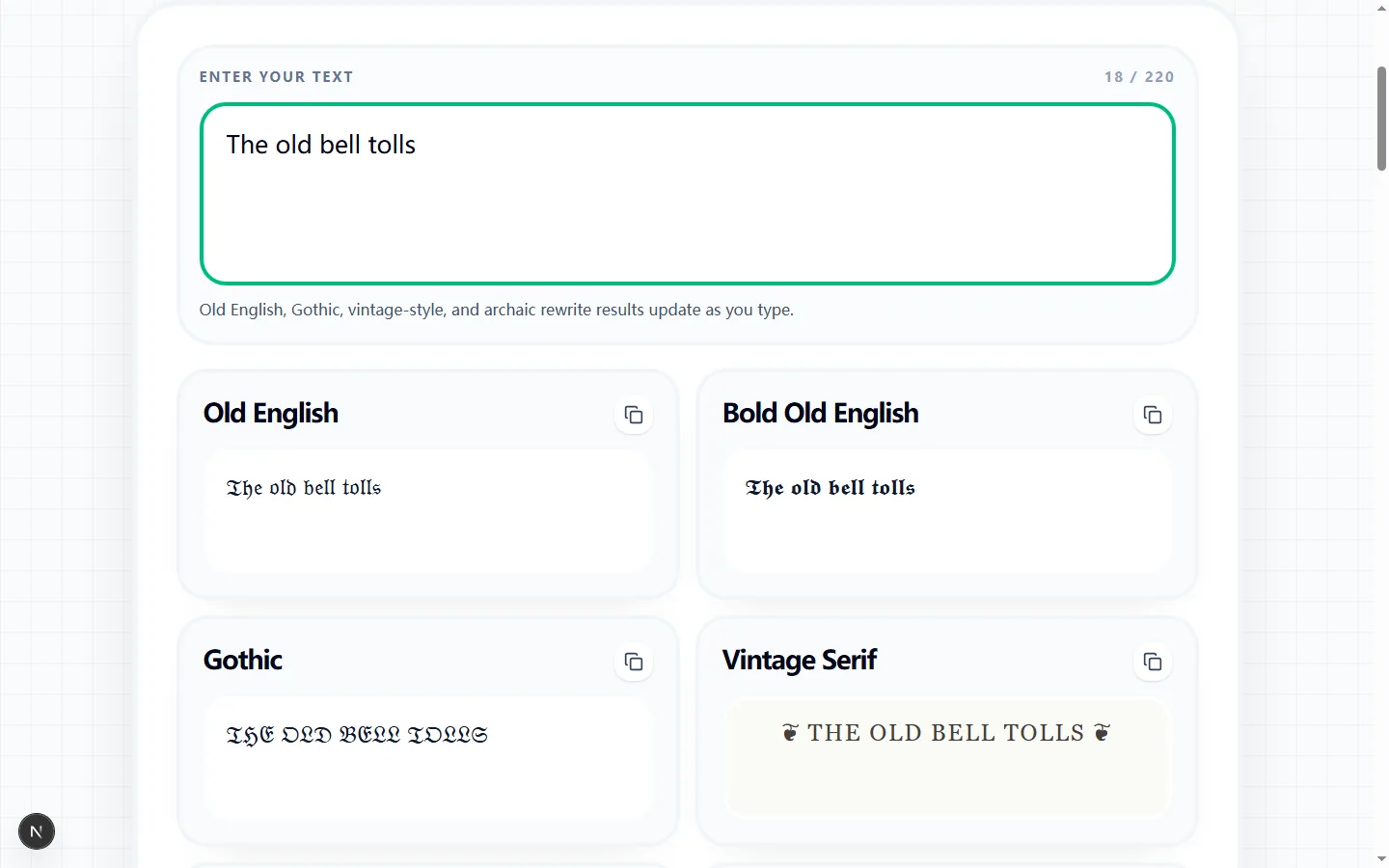
Type up to 220 characters once and the old timey text generator updates six result cards. Old English, Bold Old English, Gothic, and Vintage Serif alter how the characters look. Victorian Rewrite and Shakespearean Rewrite instead apply a limited set of phrase and word substitutions, so those two results may change the wording itself.
Choose the result according to the job. The character-style cards suit a short name, emblem, invitation heading, or decorative caption where the original words must remain recognizable. The rewrite cards are better treated as draft dialogue or themed copy that you will read and edit before publishing.
Old English maps standard A-Z and a-z letters to Fraktur-style Unicode characters, while Bold Old English uses a heavier Fraktur set. Gothic first uppercases the input and then applies the Fraktur mapping. Characters without a matching entry, including most punctuation and many non-Latin letters, pass through rather than being translated.
Vintage Serif works differently: it normalizes spacing, converts the wording to title case and then uppercase, and places a decorative fleuron at each end. These are copyable text transformations, not installed typefaces or image effects. Pasting them into another app asks that app and its active font to render the Unicode characters.
The rewrite modes use a fixed list of phrase and word substitutions. For example, recognized modern greetings or terms can become formal Victorian wording or stronger theatrical forms such as good morrow, thou, thy, and hither. When no listed substitution matches, the tool adds a fallback opening—Pray for Victorian or Verily for Shakespearean—and finishes the result with sentence punctuation.
That makes the output predictable and quick, but it is not historical translation, literary scholarship, or a grammar-aware language model. The rules do not understand every tense, idiom, proper noun, or context. Read the complete rewritten sentence to make sure its meaning and tone still fit your scene instead of assuming that an archaic word automatically makes it accurate period language.
Each card has its own copy button, which copies only that card's output. Copy All Results creates a plain-text bundle with each result title followed by its output and a blank line between styles. The labels make it useful for comparing alternatives in notes or sending several options to a collaborator.
Before copying all six, remove any sensitive wording you would not want in the clipboard. The transformation itself runs in the browser and the cards update as you type, but the destination you paste into has its own storage and privacy behavior. For a final bio or caption, copying the single chosen result also avoids accidentally publishing the labels and unused variants.
Paste the selected style into the exact profile field, chat, document, or design tool where it will appear. Look for missing boxes, fallback glyphs, unexpected line height, or characters that are visually too dense at small sizes. A Fraktur result that displays well in one browser can look different under another operating system or app font.
Run a separate content check for the rewrite modes: compare the result with the source, verify names and factual details, and read it aloud for awkward substitutions. If display reliability matters more than ornament, Vintage Serif or the original plain wording may travel more consistently. If exact typography is required, use a licensed font in a graphics editor rather than treating Unicode styled text as a font file.
Quick answers about Old English-style text, Gothic lettering, and the rewrite options on this page. If you want a broader mix of decorative Unicode styles before narrowing down to blackletter, start with Styled Text Font Style.
Enter Your Text
Type once and the styles update below.
Runs locally in your browser.